
News & Resources

This is your one stop shop to learn about the happenings at Boyd Tech Solutions, news in the technology industry, as well as resources to help you make informed decisions.

Adversary-in-the-Middle Attacks: How Phishing Sites Steal Your Active Login

You click a link, sign in, approve the MFA prompt, and get on with your day. Completely unaware that someone else just logged into your account at the same moment.That scenario surprises many businesses, particularly those that rely on multi-factor authentication...

The “Session Cookie” Hijack: Why MFA Can’t Always Save You

MFA is a strong front-door lock. But it’s not the only thing that decides whether someone can get in.After you sign in, your browser keeps you logged in using a session token (often stored as a cookie). It’s the digital version of a wristband at an event: once you’ve...

The “Legacy Debt” Audit: Identifying the 3 Oldest Risks in Your Server Room

The most dangerous thing in a server room is often the phrase, “Don’t touch that.”It’s usually said with a half-joke and a grimace. It refers to the old box that “still works”, runs something important, and has survived so many fixes and workarounds that nobody feels...

The “Backup Exit” Strategy: Can You Move Your Data Without the Vendor’s Help?

When you first sign up for a software-as-a-service (SaaS) platform, everything is designed to feel effortless. The problem is that the first real test of a SaaS relationship isn’t the onboarding. It’s the exit. For many small businesses, the front door is...

Micro-SaaS Vetting: The 5-Minute Security Check for Browser Add-ons

Browser add-ons have a funny reputation. They feel “small”. A quick install. A tiny productivity boost. A harmless little helper that lives in your toolbar.But in practice, a browser extension is more like a micro-SaaS vendor sitting inside your browser session. It...

LinkedIn “Social Engineering”: Protecting Your Staff from Fake Recruitment Scams

A fake recruiter message is one of the cleanest social engineering tricks around because it doesn’t look like a trick.That’s why LinkedIn recruitment scams work so well inside real businesses. They don’t arrive as malware. They arrive as a normal conversation...

“Clean Desk” 2.0: Securing Your Home Office from Physical Data Leaks

In the traditional office, a “Clean Desk” policy was a simple habit: shred the sensitive stuff, lock it away, and don’t leave passwords where someone can see them.In 2026, the same idea still matters but the “desk” has changed. For many teams, the home office is...

The Essential Checklist for Securing Company Laptops at Home

At home, security incidents don’t look like dramatic movie hacks. They look like stepping away from your laptop during a delivery, or leaving it unlocked while you grab something from another room.Those ordinary moments, repeated over time, are how work devices end up...

The 2026 Guide to Uncovering Unsanctioned Cloud Apps

If you want to uncover unsanctioned cloud apps, don’t begin with a policy. Start with your browser history.The cloud environment most businesses actually use rarely matches the one shown on the IT diagram. It’s built through countless small shortcuts: a “just this...

Stop Ransomware in Its Tracks: A 5-Step Proactive Defense Plan

Ransomware isn’t a jump scare. It’s a slow build.In many cases, it begins days, or even weeks, before encryption, with something mundane, like a login that never should have succeeded.That’s why an effective ransomware defense plan is about more than deploying...
What is Password Spraying?

What is Password Spraying?

Password spraying is a complex type of cyberattack that uses weak passwords to get into multiple user accounts without permission. Using the same password or a list of passwords that are often used on multiple accounts is what this method is all about. The goal is to...
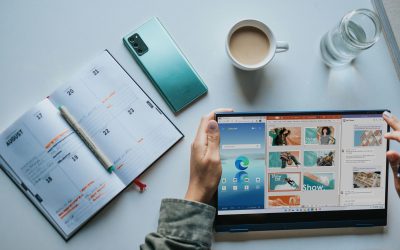
10 Tips to Get the Most Out of Your Microsoft 365 Apps

10 Tips to Get the Most Out of Your Microsoft 365 Apps

Microsoft 365 is a strong set of tools created to make working together and staying safe easier on many devices and systems. It has well-known programs like Word, Excel, PowerPoint, and Outlook, as well as new ones like Teams and OneDrive. With its powerful features...
6 Best Cloud Storage Providers to Save Device Space

6 Best Cloud Storage Providers to Save Device Space

In this digital world, it's hard to keep track of all the storage space on your devices. It's easy for our devices to run out of room because we keep adding more photos, videos, documents, and files. Cloud storage is a convenient option because it lets people store...

10 Awesome Ways to Customize Your Desktop Layout

10 Awesome Ways to Customize Your Desktop Layout

You can make your computer experience more unique by changing the style of your desktop. It lets you organize your area well, which makes it easier to get to files and programs you use often. There are many ways to change things whether you're using Windows, macOS, or...
7 New and Tricky Types of Malware to Watch Out For

7 New and Tricky Types of Malware to Watch Out For

Malware is a huge threat in the digital world. It can cause a lot of damage and cost people a lot of money. As technology advances, so do the tactics used by cybercriminals. In this article, we will explore some of the newest and trickiest types of malware.7 Malware...

Where Do Deleted Files Go?

Where Do Deleted Files Go?

It may seem like the file is gone for good when you delete it from your computer. However, the truth is more complicated than that. A deleted file doesn’t really disappear from your hard drive; it stays there until new data fills up the space it occupied. This...